


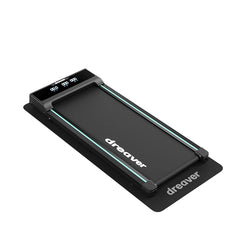
Dreaver Motion One
Compact and quiet — ideal for daily walking
1–6 km/h
Without handrail
Flat
Dreaver App
The Dreaver App helps you stay consistent, feel better, and build a routine that truly fits your life.

You really want to exercise more. But life is sometimes busy enough as it is.
We don't believe that motivation is the problem, but rather that the right solution hasn't been available yet.
That's why we have seamlessly integrated the Dreaver App with your treadmill. Making it not only easier but also more fun to get your daily exercise.
Please note: if you have an S340, S340-P, X250, X250-P or S310 model, you can use the app, but without integration.

With these features, you make exercise easier, more insightful, more enjoyable and achievable:
The app is free to download from the App Store (Apple) and Google Play Store (Android).

At Dreaver, we believe that exercise should be for everyone. Regardless of your situation, your schedule, or your budget. That is why a free version of the Dreaver App will always remain available. This is how we can help more people get moving and stay active, one step at a time.

Yes, the app is free to download from the App Store (Apple) and Google Play Store (Android). We believe it is important that exercise remains accessible to everyone, which is why a free version will always be available.
The app can be downloaded from the App Store (Apple) and Google Play Store (Android).
In the app you will find workouts, training plans, challenges and the Dreaver community. In addition, you can set goals, track your progress and get inspiration from blogs and tips from other users.
Yes, you can set daily goals within the app. If you enable notifications, you'll receive a reminder if you haven't reached your goal yet.
The app integrates seamlessly with the Dreaver Motion One, Motion Pro, Elevate One, Elevate Pro and Climb One.
If you have an older model of ours, such as the S340 S340-P, X250, X250-P, S310, you can use the app freely, but unfortunately cannot integrate it automatically.
You can easily connect your treadmill via Bluetooth:
1. Turn on your Dreaver treadmill.
2. Make sure Bluetooth is enabled on your phone or tablet.
3. In the app, go to 'Training', 'Quick Start' or another training mode.
4. Your treadmill will appear in the list.
5. Tap 'Connect' next to your device's name.
Please note: if you have a model other than the Dreaver Motion One, Motion Pro, Elevate One, Elevate Pro, or Climb One, unfortunately, this integration is not available.
1. Make sure the treadmill connects to the app, and not directly to your tablet or phone.
2. Check that the treadmill is not already connected to another device (e.g. an old tablet).
3. Keep your phone or tablet closer to the treadmill console.
4. Check that the treadmill is not in 'standby' or sleep mode.
5. Check if your model is supported
If it still doesn't work after these steps, please contact support via support@dreaver.nl.
Yes, as soon as your treadmill is connected, you can adjust the speed and incline via the app during your workout. Super simple!
Yes, absolutely! You can always use the Community, Blogs and Statistics (for walks/outdoor running sessions).
However, the interactive workouts, the remote control feature and other integrations only work with a connected Dreaver treadmill.

Answer 5 quick questions and discover which treadmill suits you best. Takes less than 1 minute.
Personal advice based on how you use it
Compare the best models
Order now with fast delivery
Already helped over 2,400 people
Tip: Incline helps burn fat up to 2x faster + reach your calorie goal!
Please wait, we are finding the perfect treadmill for you
Reviewing your preferences
Finding the best matches
Preparing your personal advice
Based on your answers, we recommend:
There is currently no suitable treadmill available. View all treadmills for the latest options.
Compact and quiet — ideal for daily walking
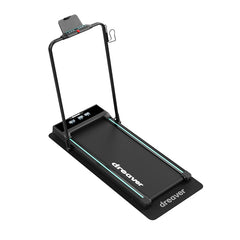
Versatile and quiet — ideal for walking and running
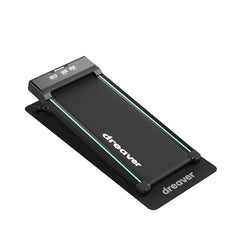
Compact model with incline — ideal for burning extra calories
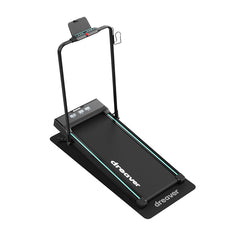
Most powerful model — ideal for intense incline training

Pay interest-free, spread over 3 installments.