Walking during a meeting works perfectly for listening meetings, one-on-one conversations, and brainstorming sessions. It works less well when you are giving a presentation, taking complex notes, or need to be fully visible and focused. Choose your moments wisely and you can move around without anyone noticing. Your calendar is packed with online meetings, and your legs are getting stiff. Sound familiar? A walking pad under your desk might seem like a logical solution: just keep walking while your colleague discusses the quarterly report. But does it really work, or will you look like a panting marathon runner who accidentally pressed the wrong button after five minutes? In this article, we take a practical look at what does and does not combine well with walking. You will learn which types of meetings are suitable, when it is better to stay seated, and how to introduce it without your boss giving you a strange look.
Which meetings combine well with walking?
Not every meeting is designed for walking. Some certainly are. Here are the three types of meetings that go best with a leisurely walk on your walking pad.
Listening meetings: your best friend
Large team updates, all-hands meetings, presentations where you are mainly listening: these are ideal moments to walk. You do not need to speak, your camera can often be off, and your brain absorbs the information just as well while you move.
In fact, light exercise can help your concentration. Instead of daydreaming during the twentieth slide, you stay alert. Mute your microphone, walk at a steady pace, and listen in.
One-on-one conversations: relaxed and informal
A weekly check-in with your manager or an informal conversation with a colleague is well suited to walking. These conversations are usually more relaxed in tone, and a steady walking pace does not disrupt the flow.
It helps to mention it beforehand. A simple "I'll be walking on my walking pad in the meantime, I hope that's okay" works perfectly. Most people actually find it quite nice.
Brainstorming sessions: movement stimulates ideas
There is a reason why people come up with their best ideas during a walk. Exercise can stimulate blood flow and promote creative thinking. During brainstorms where you are thinking aloud and making associations, walking can actually help you.
Keep the pace low enough to speak clearly, though. You want to contribute ideas, not get out of breath.
When is it better to stay seated?
Walking during meetings has clear limits. At these times, it is better to pause your walking pad.
Giving presentations: stand or sit
Are you giving a presentation? Then you need a steady voice, sharp focus, and often a shared screen. Walking makes your voice shaky and your attention fragmented. No one wants to listen to a speaker who has to stop between two sentences to catch their breath.
Taking complex notes
Do you need to type a lot, draw diagrams, or take precise notes? Then walking works against you. Typing on a moving surface is slow and error-prone. For this type of meeting, a chair is simply more practical.
Meetings where you need to be fully visible
Job interviews, sensitive conversations, or meetings with external clients require full attention and a professional appearance. A wobbly camera feed and light panting do not fit in. Save walking for your internal, informal moments.
Practical tips to stay professional
Walking during a meeting does not have to stand out. With a few simple adjustments, you can continue to come across as calm, clear, and professional.
Keep your pace low.
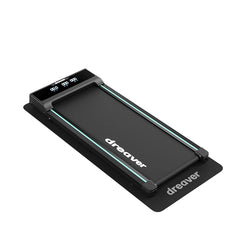
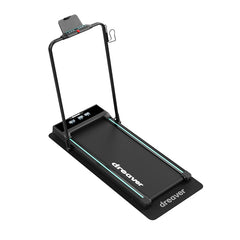
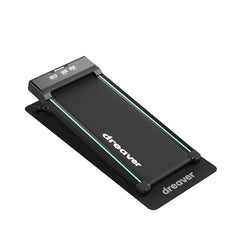
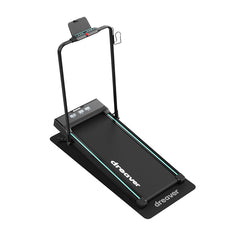
A speed of 1.5 to 3 km/h is ideal. Fast enough to move, slow enough to speak clearly, and not get out of breath. Models such as the Dreaver Elevate Pro offer an adjustable range that allows you to maintain exactly that steady working pace, even during longer meeting sessions.
Use your camera consciously.
During listening meetings, the camera can often be off. Does it need to be on? Then position your walking pad so that your camera is at eye level and the image remains stable. A bobbing head is distracting.
Pay attention to your audio.
Use a good headset with noise cancellation. This eliminates the soft hum of the treadmill, so your colleague only hears your voice.
Introduce it casually.
Just say that you are moving around while listening. "I'll be walking around in the meantime, it's better for my back" sounds normal and healthy. The more relaxed you are about it, the more normal others will find it.
Build up to it.
Start with short, simple meetings before trying it during longer sessions. This way, you get used to the combination of walking and listening without it distracting you.
Walking during work, done smartly
Meeting while walking is not an all-or-nothing choice. The trick is to choose the right moments: listening meetings, one-on-one conversations, and brainstorms are perfectly suited for it, while presentations and note-taking call for a chair. With a steady pace, a good headset, and a casual introduction, you will stay professional.
Start small, see what works for you, and gradually expand. Before you know it, you will have taken hundreds of extra steps on a regular workday without it getting in the way of your work.
Want to move more during your workday? Check out the walking pads from Dreaver, such as the Dreaver Motion Pro, and discover what suits your work routine.